


iMe: Telegram AI Messenger
4.4868.00 Reviews
App Specs
- Version
- 12.9.3
- Updated On
- License
- Free
- Downloads
- 10,000,000+
- Developer
- IME LAB - FZCO
- Categories
- Communication
- Platform
- Android, iOS
Screenshots


 Analysis by AppCompare
I judge a messaging app by a practical question: does it make the conversations I already have easier to handle, or does it add another layer to manage? That’s the choice behind iMe: Telegram AI Messenger. It is a communication app from IME LAB - FZCO, built around Telegram, with extra tools for people who want more than a straightforward chat client. Its appeal is strongest when you already use Telegram and are curious about bringing chat controls and AI-style assistance closer to your daily messages.
Before switching, I’d separate three needs: keeping up with busy chats, getting help with small language or organization tasks, and choosing how much extra complexity I want in a messenger. iMe aims at the first two while preserving a familiar Telegram foundation. That can be useful, but it also means its value depends on whether those extras fit your habits. If you only want a simple place to send messages, the standard Telegram app or another familiar messenger may be the cleaner choice.
Start with your everyday messaging habits
Think about the moments when messaging feels like work: a group chat moves quickly, a message arrives in a language you don’t read comfortably, or you need to keep a small task from disappearing under newer notifications. Those are the situations where iMe’s mix of AI tools and chat controls is most relevant. I would treat it as a way to add convenience around messaging, not as a reason to change how every contact communicates.
A useful test is to identify one repeated annoyance before installing it. If translation is the friction, try that workflow first. If it is keeping conversations organized, spend time with the chat controls and folders instead. This makes it easier to tell whether iMe is solving a real problem for you rather than simply offering features that sound appealing in the abstract.
Who is likely to get the most from it?
I can see iMe fitting people who already rely on Telegram for personal groups, community chats, or everyday coordination and want extra ways to manage that activity. It may also suit someone who regularly switches between languages or likes having small assistant-style tools nearby. In those cases, combining chat and helper functions can reduce the urge to jump between separate apps for every quick task.
It is less compelling if your friends and family use other messaging services and you have no reason to move your conversations. A messenger only helps when the people you need to reach are there. I would also skip the extra layer if you prefer the most familiar, minimal interface possible, or if you are uncomfortable relying on AI tools for anything beyond occasional assistance.
A realistic day with iMe
Picture a busy afternoon: a family group is arranging a weekend plan while a separate chat shares a message you need to understand in another language. You can use the messenger’s available tools to handle the translation, then keep the planning conversation easier to find with chat organization. Later, a quick note or reminder can help you hold onto a small follow-up without leaving the conversation flow. That is a more convincing use for iMe than expecting it to transform messaging completely.
Worth Reading Before You Choose

EA SPORTS FC Mobile 26 Is a Bigger Football Game, but It Takes Time

Flipboard Shows What News Apps Must Do Beyond the Feed

Switching to Android Auto Means Rethinking Your Driving Routine

Google Calendar Makes a Crowded Week Easier to Manage

Ludo King Makes the Most of the Minutes Between Plans

Baby Panda World Brings Quick Play to Modern Phones, but Its Game Library Feels Busy
My practical tip is to try one task at a time. Test a translation on a message where you can check the meaning, and review any AI-generated result before acting on it. For organization, create only the folders or controls you know you will use; adding too many categories can turn a simple inbox into another system to maintain. These small choices determine whether the added tools save attention or consume it.
How it compares with other messaging choices
Compared with a basic messenger, iMe puts more emphasis on assistant-like functions and ways to manage chats. That is a meaningful distinction for people who want tools close at hand, but it is not automatically better. A standard messaging app may be preferable if you value familiarity, already have all your conversations there, or rarely need translation and organizational extras.
Compared with using Telegram itself, the decision is more about the interface and additional tools than about persuading your contacts to adopt a new messaging network. That reduces one common switching obstacle, though you should still consider whether you want a third-party client in your messaging routine. If your priority is a specific privacy setup or the simplest route to the familiar Telegram experience, compare the settings and workflows you rely on before making it your default.
Privacy deserves a closer look
Privacy is not one setting, and encryption should not be treated as a blanket promise that every conversation has identical protections. iMe’s original presentation describes end-to-end encryption, but I would still check the in-app explanations and the conversation type before discussing sensitive information. Make sure you understand which chats receive which protections, and avoid assuming that AI assistance is appropriate for private material just because it is available inside a messenger.
This is a sensible habit with any communication tool: use assistant features for low-risk tasks, check the result, and keep confidential details out of prompts unless you have reviewed how that feature handles them. If your main reason for choosing a messenger is a particular security model, prioritize clear, verifiable details about that model over convenience features.
What switching actually involves
Because iMe is based on Telegram, moving to it can feel less disruptive than asking every contact to adopt a separate service. Still, changing the app you open every day has a small learning cost. Take a little time to locate the controls you use most, decide whether folders help your routine, and check how notifications behave before relying on it for time-sensitive conversations.
Also think about habits that are easy to overlook: where you expect to find saved information, which chats deserve quick access, and whether you want AI tools visible in your normal flow. Keeping the setup modest at first makes it easier to judge the experience. If the extras do not earn their place after ordinary use, returning to a simpler client may be the more sensible choice.
Price, availability, and what to expect
iMe is free to install, with optional in-app purchases ranging from under a dollar to around seventy-five dollars per item. I would start with the free experience and only consider a purchase after confirming that a specific paid option solves a recurring need. The app is rated for teens, has an average rating of about 4.5 from roughly 147,000 ratings, and has passed 10 million installs. Those figures suggest broad interest, but they cannot tell you whether its tools match your own routine.
The app first appeared in 2019 and its current version is 12.3.8. It requires Android 7.0 or later. If you use an iPhone, check the relevant App Store listing for device compatibility before planning a switch, since platform details can vary. The most useful question is not how many people have tried it, but whether the specific controls and assistant features you care about are available and comfortable on your device.
What Sets iMe Apart?
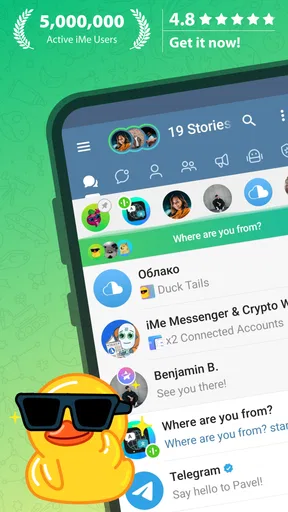
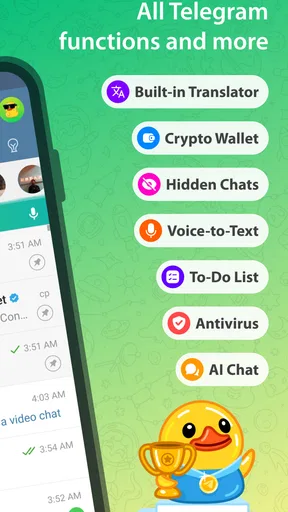
First things first, iMe isn't just another messaging app. It’s built on the backbone of Telegram, meaning you get all the robust features of Telegram with some seriously cool extras. We’re talking AI-powered tools that can help with everything from language translation to managing your to-do list. Plus, it’s all wrapped up in a sleek, user-friendly interface.
AI-Powered Features
This is where iMe really shines. The AI integration is like having a super-smart buddy who’s always there to help. Need to translate a message? Done. Want to jot down a quick note or set a reminder? Easy peasy. The AI bots can even entertain you with games or give you the latest news updates. It’s all about making your life a little bit easier.
Customization and Privacy
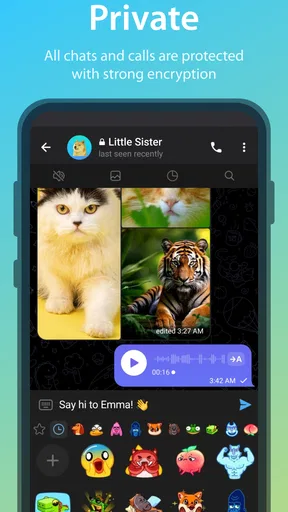
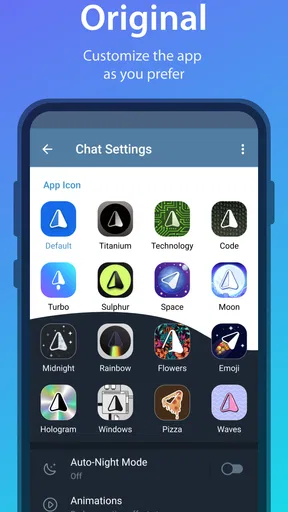
One of the things I love about iMe is the level of customization it offers. You can tweak the interface to your liking, from changing themes to customizing chat folders. And if you’re like me, privacy is a big deal. Thankfully, iMe respects that with end-to-end encryption, meaning your chats are for your eyes only. No snooping allowed!
Usability and Design
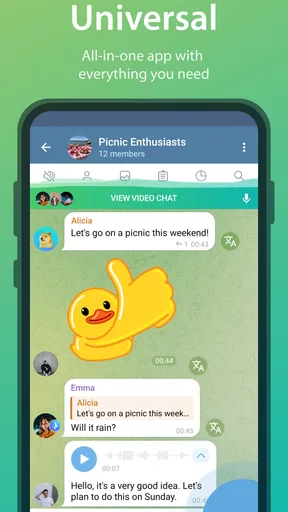
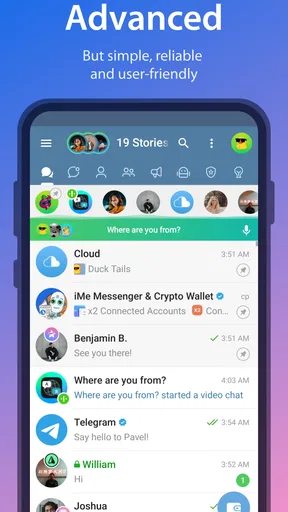
Let’s talk about the look and feel. iMe is designed for ease of use. Everything is where you expect it to be, and the learning curve is practically non-existent. Whether you’re a tech guru or a casual user, you’ll find navigating this app a breeze. Plus, the design is sleek and modern, which is always a bonus.
Seamless Integration
Another cool aspect is how iMe integrates with other apps. Whether it’s syncing your calendar events or integrating with music apps, it’s all about making your digital life more interconnected. This means less switching between apps and more getting things done.
Performance and Reliability
Now, what’s an app if it doesn’t perform well, right? I’ve been using iMe for a while, and I’ve got to say, it’s smooth sailing. The app runs fast, messages sync quickly, and I haven’t encountered any significant bugs. It’s reliable, and in the world of messaging apps, that’s a huge plus.
In conclusion, iMe: Telegram AI Messenger is more than just a messaging app; it’s a powerhouse of features designed to simplify your digital life. Whether you’re in it for the AI tools, the customization options, or the seamless integration, there’s something for everyone. So, if you’re looking to level up your messaging game, why not give it a shot? You might just find it’s the app you never knew you needed.
Pros
- Seamless integration with Telegram.
- Advanced AI features enhance communication.
- User-friendly interface and navigation.
- Customizable themes for personalization.
- Supports multiple accounts efficiently.
Cons
- AI features can sometimes be overwhelming.
- Certain features require in-app purchases.
- Occasional lag in message delivery.
- Limited offline functionality.
- Privacy settings could be more robust.
FAQs for iMe: Telegram AI Messenger
What is iMe: Telegram AI Messenger?
iMe: Telegram AI Messenger is an enhanced version of the standard Telegram app, integrating artificial intelligence tools and features. It offers users an enriched messaging experience with intelligent features such as voice-to-text conversion, language translation, and AI chatbots, all while maintaining the core functionalities of Telegram.
How does iMe enhance the standard Telegram experience?
iMe enhances the standard Telegram experience by integrating AI-driven functionalities like smart folders, voice message transcription, and language translation. These features provide users with a more organized and efficient way to manage conversations, making it easier to communicate and stay connected with friends and groups.
Is iMe secure and private?
Yes, iMe maintains the security and privacy standards of the original Telegram app. It uses end-to-end encryption for messages, ensuring that your conversations remain private. Additionally, it follows Telegram's strict privacy policies, so you can be assured that your data is protected while enjoying the enhanced features.
What are the system requirements for iMe?
iMe is compatible with both Android and iOS devices. For Android, it requires version 5.0 and above, while iOS devices need to run iOS 10.0 or later. It is advisable to have a stable internet connection and sufficient storage space to accommodate regular updates and new features.
Are there any additional costs associated with using iMe?
iMe is free to download and use, similar to the standard Telegram app. However, certain advanced features and functionalities might offer in-app purchases. These are optional and designed to enhance the user experience, but the core messaging features remain fully accessible without any cost.


